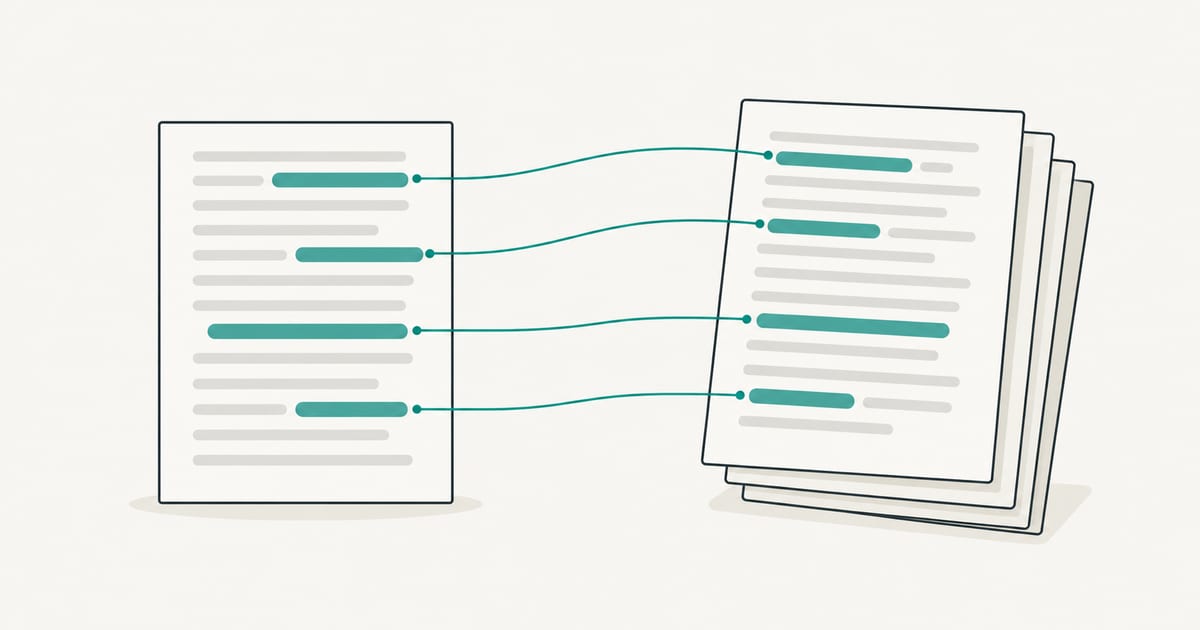
SafeAssign does not check for AI. It is a text-matching tool: it compares a submission with existing sources and reports how much of the paper overlaps with them. Anthology’s own help pages describe it that way and do not mention AI scores, and a university FAQ reports that Anthology tested AI detection in 2023 and dropped its plans to add it to SafeAssign. If a Blackboard course shows an AI score, it comes from a separate tool the school connected.
Key takeaways
- SafeAssign reports similarity to existing sources. A low percentage does not show the paper is human-written, and a high one does not show AI use.
- Anthology’s help page for SafeAssign never mentions AI. It lists four comparison sources: the Global Reference Database, institutional archives, the internet and the ProQuest ABI/Inform journal database.
- Blackboard has not added a built-in AI detector that we could find. Any AI result in a Blackboard course would come from an add-on such as a Turnitin license, and only where the institution turned it on.
- AI-written text can still produce SafeAssign matches if it reproduces published wording. That is a plagiarism match, not an AI finding.
What does SafeAssign actually do?
SafeAssign is Anthology’s originality checking tool for Blackboard. Anthology’s help page on using SafeAssign in assignments, which we read on 2026-10-27, describes the job in three parts.
First, a student submits a paper to a SafeAssign-enabled assignment. Second, SafeAssign compares it with four collections of material:
- The Global Reference Database, which the page says holds over 15 million papers volunteered by students.
- Institutional document archives, which hold papers earlier submitted to SafeAssign at the same institution.
- The internet, searched through an internal search service.
- The ProQuest ABI/Inform journal database.
Third, the instructor gets an originality report. It shows the percentage of the paper that matches existing sources and lists the suspected source for each matching section. The page tells instructors to investigate whether each block of text is properly attributed. It describes SafeAssign as a deterrent and a teaching tool that helps students learn to attribute sources.
Nothing on that page refers to AI, authorship style or machine-written text. The question SafeAssign answers is “where else has this wording appeared?” It does not answer “who or what produced this wording?”
Older university pages describe the database sizes differently. One reports about 2.6 million journal articles in the ProQuest collection, while Anthology’s current page gives different figures. Counts like these change, so treat any number as a snapshot and check Anthology’s current page.
Did Blackboard ever plan to add AI detection?
Yes, and then it changed course. The sources here are secondhand, so we state them with care.
Anthology’s own announcement of a 2023 beta, as summarized by search excerpts, described a GPTZero pilot that would let instructors try AI detection inside SafeAssign. We could not open the original Anthology post, which now returns a not-found error, so we cannot quote it directly.
Northern Illinois University’s Blackboard FAQ on AI records what happened next. It says Anthology, which owns Blackboard, tested a market-leading AI detection solution in May and June 2023 and found “the error rate was too high to be reliable.” It adds that Anthology concluded relying on AI detection “would be unethical at this stage” and ended plans to incorporate it into SafeAssign. The FAQ is a university’s account of the company’s position, not a primary Anthology document, and it gives no date for the decision itself.
Anthology’s page on protecting against AI plagiarism points the same way. It does not describe a built-in AI detector. It recommends redesigning assessment: tasks that need critical thinking and personal reflection, peer assessment and group work, and personalized assessments that help instructors recognize a student’s own writing style. A Grand Valley State University help article repeats the page’s position that the best defense is authentic assessment supported by AI-powered tools, not detection.
Some web pages say Blackboard now offers AI detection through a partnership with another vendor. We could not confirm any such partnership from Anthology’s own pages, so we do not rely on it. Check your institution’s setup instead.
Can SafeAssign flag AI-written text at all?
It can flag text that matches a source, whoever or whatever wrote it. A language model can reproduce phrases from its training material, quote well-known passages, or summarize an article so closely that the wording overlaps with it. In those cases SafeAssign may highlight the overlap, because it found a match, not because it recognized the writer as a machine.
The reverse is the common case. Freshly generated text usually matches nothing, so a SafeAssign report can come back low on a paper that was largely produced by AI. That is why a clean SafeAssign report is not evidence about authorship. Our guide on the difference between an AI detector and a plagiarism checker explains why the two tools answer different questions and why neither replaces the other.
A single description of the score also helps. The SafeAssign percentage is the share of the submission that matches other sources. It is not a probability that the paper is plagiarized, and it is not an AI percentage. Reading it as either leads to wrong conclusions.
Where would an AI score in Blackboard come from?
If an instructor sees an AI indicator next to a Blackboard assignment, it is from a different product connected to that course. The usual example is Turnitin, which is separate from SafeAssign and has its own AI writing report where an institution licenses and enables it. Our guide on whether Turnitin checks for AI covers what that report does, and our comparison of which AI detector teachers use lists the other tools in circulation. Canvas schools face the same question: see does Canvas have AI detection.
Because each school configures its tools differently, the only reliable way to know what applies to you is to ask. Students can look at the assignment instructions, the syllabus and the school’s academic integrity policy, or ask the instructor which tools are used and how results are handled. Instructors can ask their learning technology team which integrations are active for their courses.
A comparison of the common cases:
| Situation | What produces the result | What the result means |
|---|---|---|
| SafeAssign enabled alone | Text matching against four source collections | Overlap with existing sources, not AI use |
| Turnitin AI report enabled | Turnitin’s own AI writing classifier | A probabilistic estimate, with known limits |
| Instructor pastes text into a separate detector | That detector’s model | A signal to review, not proof |
| No tool enabled | Nothing | The instructor relies on reading, comparison and conversation |
What should students keep in mind?
A SafeAssign report tells you nothing about whether your work will be questioned for AI use at your school. That depends on policy and on other tools. If your course permits some AI help and you used it, say so in the way the course asks. If it does not permit AI, follow that rule, and do not assume a clean originality report makes anything acceptable. The report is not permission, and a low score is not a defense.
If your own writing is ever flagged by any tool, the response is the same: keep your drafts, notes and version history, ask what the concern rests on, and use your institution’s process. Our guide to why your writing can show as AI explains how false flags happen, and what to do when an AI detector flags student writing describes a fair review.
One practical point about SafeAssign itself: students can usually choose whether a submitted paper is added to the Global Reference Database, and Anthology’s page notes students can check a paper without contributing it. Instructors control other settings. If you want to know how your paper will be stored, ask your instructor how the assignment is configured.
What should teachers keep in mind?
Do not read a SafeAssign score as an AI result, and do not tell students that it detects AI. Neither is supported by Anthology’s documentation. Use it for what it does: finding overlap with existing sources and prompting a check on whether passages are properly cited.
If you want to look into possible AI use, treat any detector as one input. Anthology’s own advice is to design assessments that reveal how a student thinks, such as drafts, reflections and in-class components, and that advice holds up better than any score. Detector results of every kind produce errors, including false positives on writing by non-native English speakers and on short or formulaic text. The evidence is in AI detection false positives in student writing and how accurate AI detectors are. Before any conversation with a student, review the highlighted passages, compare earlier work and ask them to explain their choices.
Frequently asked questions
Does SafeAssign detect ChatGPT? Not by recognizing it. SafeAssign compares text with existing sources and reports overlap. Text a chatbot has just written usually matches nothing, so SafeAssign usually has nothing to flag. If the generated wording closely mirrors published material, that overlap can appear in the report as an ordinary match.
Does Blackboard have an AI detector? We found no built-in AI detector in Blackboard. Anthology’s help pages describe SafeAssign as originality checking and recommend redesigning assessment, and a university FAQ says Anthology dropped plans to add AI detection to SafeAssign after testing in 2023. A school may connect a separate tool, so check with your institution.
Is a low SafeAssign score proof that I wrote my paper? No. A low score means little of the paper matches the sources SafeAssign searched. It says nothing about who or what wrote it.
Is a high SafeAssign score proof of plagiarism? No. Anthology’s page tells instructors to check whether each matching block is properly attributed. Quotations, references and common phrases can all produce matches.
Does SafeAssign work the same as Turnitin? They are separate products. Both compare submissions with source collections, but Turnitin also offers a separate AI writing report where a school licenses and enables it. SafeAssign’s documentation describes no equivalent.
Can I run my own text through an AI detector before submitting? You can, and our AI-generated text detector shows which passages a classifier flags. Treat the result as information about how a tool reads your text, not as a pass or fail grade. It is sent to Pangram Labs for analysis, and checking your own text requires a free account.
Sources and how current they are
- Anthology Blackboard Help: Use SafeAssign in assignments and Protecting against AI plagiarism, both read 2026-10-27.
- Northern Illinois University: Blackboard AI Design Assistant FAQ, read 2026-10-27, for the account of Anthology’s 2023 testing.
- Grand Valley State University: Protecting Against AI Plagiarism, a help article summarizing the same Anthology position.
We did not test SafeAssign ourselves, and Anthology’s documentation can change. If your institution uses Blackboard, its own help pages and learning technology staff are the final word on what is enabled.