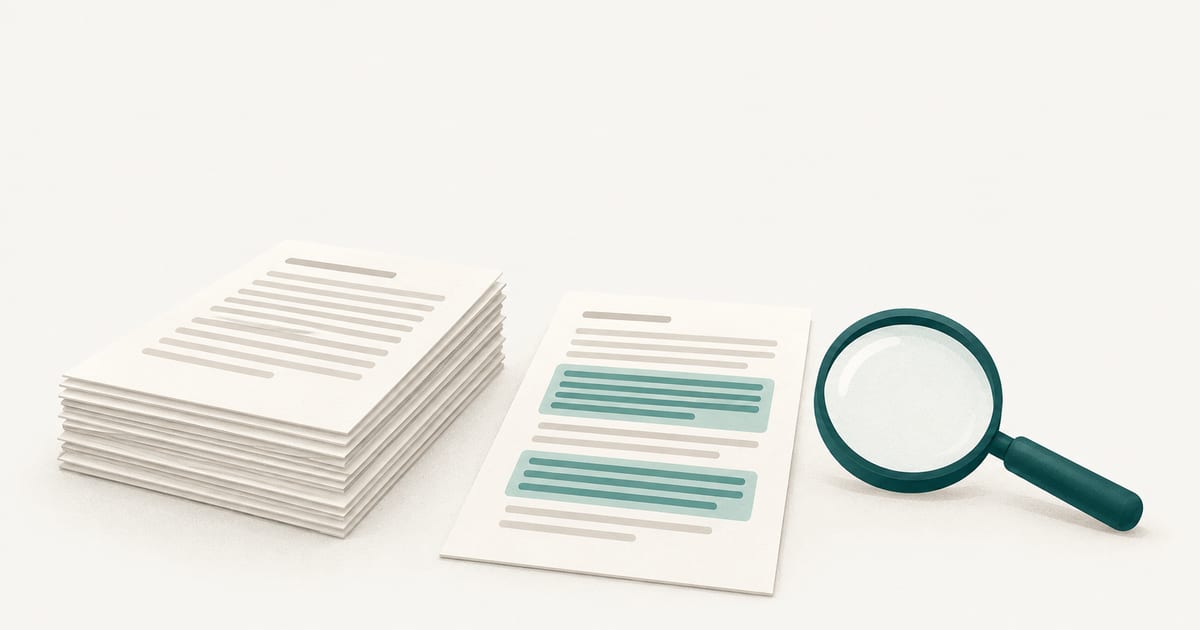
Yes, but only when a school has licensed and switched it on. Turnitin added an AI writing indicator to its Similarity Report. It shows the share of a submission’s qualifying text that its model predicts was generated or modified by AI, and it highlights the passages behind that figure. Instructors and administrators can see it. Students cannot, unless an instructor shares the report. Turnitin itself says the percentage should not be the sole basis for action.
Key takeaways
- The AI writing indicator is a separate feature from the similarity score. The two are independent and do not influence each other.
- It is only available to institutions that license Turnitin Originality (or the AI writing add-on for iThenticate 2.0), and administrators can turn it off.
- A result below 20% appears as an asterisk with no percentage and no highlights. The percentage covers only long-form prose, not the whole file.
- Turnitin says it does not determine misconduct. The decision stays with the instructor and the institution’s policy.
This guide describes Turnitin’s own documentation as read on 2026-10-13. Features and model coverage change, so check your institution’s current Turnitin guidance for anything that affects a real case.
Does Turnitin have an AI detector?
It does. Turnitin calls it AI writing detection, and in the product it appears as an indicator inside the Similarity Report. Its documentation says the feature is meant to identify content from AI writing tools such as ChatGPT, and also text that may have been run through an AI paraphraser or “bypasser” afterwards.
Access depends on the contract, not on whether a student’s paper was submitted to Turnitin. Turnitin says the feature is only available to customers that license Turnitin Originality, or the AI writing add-on for iThenticate 2.0. It also says it will only process submissions for AI writing if the institution has the feature enabled, and that administrators can disable it from their settings. So “does Turnitin check my paper for AI?” really means “has my school paid for and enabled it?” Only your institution can answer that.
What does Turnitin’s AI indicator actually show?
The indicator is a blue badge with a number from 0 to 100 once a submission is processed. Opening it leads to a report that highlights the text segments the model predicts were written or modified by an AI tool. Turnitin describes the number as the amount of qualifying text in the submission that the model determines was likely AI-generated, or likely AI-generated and then modified by a paraphraser or bypasser.
“Qualifying text” matters. According to Turnitin, the model only analyzes prose sentences in long-form writing, meaning sentences inside paragraphs, as in an essay, dissertation or article. Lists, bullet points and other short non-sentence structures are not included, and the model does not reliably detect AI-generated code. Turnitin states plainly that the percentage is therefore not necessarily the percentage of the entire submission, and that a document with several writing types can show a gap between the percentage and the amount highlighted.
| What you see | What Turnitin says it means |
|---|---|
| Blue badge with a number | The file processed. The number is the share of qualifying prose predicted to be AI-generated or AI-modified. |
| Asterisk (*%) | AI was detected below the 20% threshold. No percentage is given, and Turnitin says no highlights are attributed for scores in the 1% to 19% range. |
| Gray badge with dashes | The file could not be processed, for example it was submitted before the feature existed, is too short, is too long or is in an unsupported language. |
| Error symbol | Processing failed. Turnitin suggests trying again later and contacting support if the file meets the requirements. |
What does the asterisk mean?
The asterisk is a deliberate choice to say less. Turnitin explains that false positives are a possibility in any AI model, so to reduce the chance of one it attributes no score and no highlights to results between 1% and 19%. When the model detects something below 20%, the badge shows an asterisk instead of a number.
Two readings follow from that. An asterisk is not a measured low score such as 7%, because Turnitin does not publish one. And it is not evidence of AI use that a reader should chase; it is the tool signalling that whatever it found falls below the level where it will commit to a figure.
Is Turnitin’s AI detection accurate?
Turnitin’s stated target is a document-level false positive rate under 1% for documents with more than 20% AI writing. Its documentation describes this as roughly one fully human-written document in a hundred being flagged, and says it tests every update against more than 700,000 academic papers written before ChatGPT was released. The model was updated in July 2026, and Turnitin says the new single-model design keeps the rate below 1%.
Read the claim for what it is. It is the vendor’s own figure, about fully human documents above a threshold. It says nothing about every kind of writing, every student or every sentence-level highlight. Turnitin also says that holding the false positive rate down means some AI text will be missed: if it identifies 50% of a document as likely AI, the document could contain as much as 65% AI writing.
Turnitin names situations where false positives can occur: text without much structural variation, text that literally repeats itself, and text paraphrased without developing new ideas. It adds that in documents of only a few hundred words the prediction is mostly all or nothing, because there is a single segment and no overlap, so a mix of AI and original writing could be flagged as entirely AI-generated.
Independent testing of detectors is a separate question from the vendor’s claim. How accurate AI detectors are covers what outside evidence shows, and AI detection false positives looks at student writing in particular. To judge any tool on its evidence, see the most reliable AI detector for teachers.
What does Turnitin use to detect AI?
Turnitin says its current system is a deep learning model based on the transformer architecture, trained on its own corpus of academic writing that includes both AI-generated and authentic student work. It says the training sample deliberately included groups at risk of bias, such as second-language learners, English users from non-English-speaking countries, and less common subject areas.
When a paper is submitted, the sentences are extracted and cut into overlapping segments. The model scores each segment between 0 and 1, sentences inherit the scores of their segments, overlapping scores are pooled per sentence, and the sentence scores are aggregated into the document figure.
Turnitin explains the underlying idea as differences in word probability: language models tend to pick likely next words consistently, while human writing is more inconsistent. It also says the model is not explicitly programmed with signals such as “burstiness” or “perplexity”, and that individual predictions may not be explainable in simple feature-by-feature terms. That matters for anyone who wants a reason for a highlight: the report shows where, not why.
What can the indicator not tell you?
Several limits come directly from Turnitin’s documentation.
- It does not show authorship. It estimates how much text looks AI-generated. Turnitin separates it from its Authorship (Originality) feature, which uses metadata and forensic language analysis to flag work written by someone other than the student, and which cannot say whether AI was involved.
- It does not cover every file. English submissions need at least 300 words of long-form prose, and cannot exceed 30,000 words or 100 MB. Accepted types are .docx, .pdf, .txt and .rtf.
- Language coverage is uneven. Turnitin lists long-form English, Spanish, Japanese, Modern Arabic, Dutch, German and Turkish. Paraphraser and bypasser detection is available for English only.
- It does not reveal the process. Drafts, notes, version history and a conversation with the writer are not in the report.
- It can change. Turnitin says the percentage for a given document only changes if the document is resubmitted, but model updates mean a resubmission could produce a different result.
What about Grammarly and other writing tools?
Turnitin says its detector is not tuned to target spelling, grammar and punctuation changes, and that in its tests on human-written documents, changes from Grammarly or other grammar checkers were in most cases not flagged. It excludes Grammarly’s generative features, such as draft generation, paraphrasing and summarizing, and says content produced with them will likely be flagged. This is Turnitin’s description of its own testing, not an independent result. For where the line between assistance and generation falls, see AI-assisted vs AI-generated writing.
Who can see the result?
Turnitin says the indicator and report are not visible to students. Instructors can download the AI report as a PDF and share it with a student. In an LMS such as Canvas or Moodle, there is no AI score embedded in the LMS interface itself; an instructor has to open the report. Administrators can also view aggregated AI scores at the institution level. Canvas has its own position on AI detection.
If you are a student and your institution uses Turnitin, you may not know the indicator exists until an instructor raises it. It is reasonable to ask your instructor or your institution’s academic integrity office whether it is enabled and how results are used.
What have UK universities decided?
Policy differs by institution, and several UK universities have chosen not to switch the AI indicator on. We read three public statements on 2026-11-07:
- University of Greenwich (31 March 2023) said it would not implement Turnitin’s AI detection tool at that point, calling AI detection “currently an unproven tool” and pointing to the likelihood of false positives.
- King’s College London (guidance last updated April 2025) says it decided not to enable the AI detection percentage in Turnitin because of concerns about its reliability and the potential for false positives, and that students should never be “accused” of cheating on suspicion of AI use alone.
- University of Edinburgh says on its Turnitin page that submissions are not processed for AI writing detection and that the functionality is switched off by the service owner.
These are three examples, not a survey. Other universities may take the opposite view, so students in the UK should read their own institution’s policy. We did not read Jisc’s or QAA’s guidance pages directly, so we do not summarize them here.
How should instructors read it?
Turnitin’s own position is that the report provides data for educators, and that the percentage should not be the sole basis for action or a definitive grading measure. A sensible way to apply that:
- Check what the number covers. Is the document long-form prose, or does it include lists, code and tables that were skipped?
- Read the highlights, not just the badge. Look at whether highlighted passages are generic, or whether they are the parts that depart from the student’s usual voice.
- Account for length. In a short submission, a single segment can swing the whole result.
- Compare with earlier work. Prior assignments, in-class writing and drafts are better evidence than any score.
- Ask before concluding. Invite the student to talk through their argument, sources and drafting process.
- Follow institutional policy. The final decision rests with the reviewer and institution, not the tool.
What to do when an AI detector flags student writing turns this into a step-by-step process, and which AI detector teachers use compares Turnitin with other tools in use. The page for teachers explains how to use any detector result as one signal among several.
What should students do if they are flagged?
A flag is a question, not a verdict. Keep your outline, notes, drafts and version history, and be ready to explain how you wrote and sourced the piece. If you used a tool such as a grammar checker, say so plainly and check what your course permits. Turnitin itself acknowledges that false positives are possible and that the final judgment belongs to a person. Why your writing may show as AI covers common reasons and how to respond calmly.
Frequently asked questions
Does Turnitin always check for AI?
No. Turnitin says it only processes submissions for AI writing when the institution has the feature enabled, and that administrators can turn it off. Submissions made before the feature was available show a gray dashed badge, and the only way to see an indicator for them is to resubmit.
Does the AI score affect the similarity score?
No. Turnitin describes the two as completely independent. The similarity score shows matching text found against Turnitin’s content collection, while the AI percentage shows the predicted share of AI-generated or AI-modified prose. A paper can have a high score on one and a low score on the other.
Can Turnitin detect ChatGPT, Gemini or Claude?
Turnitin publishes a list of models its English detector covers, which as of 2026-10-13 includes recent versions from OpenAI, Google, Anthropic, Meta, Mistral, DeepSeek, Amazon and xAI, plus tools built on them. It says it will continue to expand coverage. Coverage of a model does not mean any individual result is correct.
Can I use Turnitin’s AI checker myself?
Not on your own. The indicator is for instructors and administrators at institutions that license it. Students typically cannot run it, and Turnitin says the indicator is not visible to students unless an instructor shares the PDF report.
If you want a second signal
Turnitin is one detector among several, and none of them proves who wrote a text. If you already have the text, run it through our AI-generated text detector and review the flagged passages rather than relying on the overall score. What an AI detection percentage means explains why a percentage is not a probability of authorship, and our methodology page lists what this site does and does not claim.